|
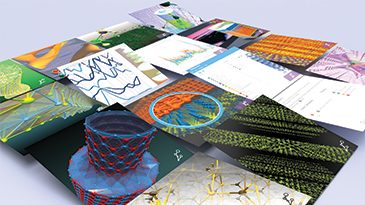
The graphical interface in Atomistix ToolKit is called Virtual NanoLab (VNL). Here's a short summary of its main features.
The general work-flow in VNL is based on a number of instruments (see list below) which perform various tasks. Geometries and data is transferred between the instruments using either drag-and-drop or a "send to" function. The main window contains an integrated file browser which gives immediate access to the data contained in the NetCDF files created by ATK, for plotting or export.
For a more detailed introduction to the features in the GUI, the basic VNL tutorial can be warmly recommended.
Click each image for a larger version.
3D Viewer
- Visualize geometries and results in 3D
- High-performance OpenGL rendering engine for atoms, bonds, and data
- Plot isosurfaces and contour plots
- Adjust plot properties in realtime (slide the value, plot updates instantaneously)
- Several available colormaps (similar to Matlab's)
- Custom color, radius and opacity of atoms
- Orthographic or perspective 3D view
- Advanced lighting control
- Animated trajectories
- Export plots as images in PNG, BMP, JPG, and other formats
- Many of these features are also available in the embedded 3D plots in other instruments
|
 |
Builder
- Build molecules, periodic structure or transport systems from scratch, or edit existing structures imported from files or other instruments like the Database or Custom Builders
- Edit coordinate list in fractional or Cartesian format
- Define unit cell as vectors or via Bravais lattice symmetry (fcc, hexagonal, etc)
- Apply operations like mirror, rotate, translate (with optional simultaneous copy/paste of atoms)
- Cleave crystals
- Z-matrix editor for advanced manipulations
- Automatically generate two-probe device structure from the central cell
|
 |
Script Generator
- Set up the entire quantum-chemical model for transport or electronic structure calculations via convenient dialogs
- Define entire work-flows by combining different steps in controlled order (like, "Define method, then optimize the geometry, then calculate the band structure")
- Export ready-to-run (locally or on a cluster) Python scripts
- Use as template generator to prepare complex Python scripts for custom modification
|
 |
Custom Builder
- Plug-in tool for setting up structures
- Define your own geometry generator as a Python script, and preview the geometry as any adjustable parameters are changed
- Predefined builders for
- nanotubes (arbitrary elements and chirality)
- graphene nanoribbons and 2D sheets
- molecular junctions (any cubic metal surface, cleaved [hkl] + arbitrary molecule aligned to the surface layers)
- nanowires and metallic atomic wires
- magneto-tunnel junctions (Fe/MgO/Fe type)
- metallic nanoclusters (Wulff construction)
|
 |
Custom Analyzer
- Plug-in tool for data analysis
- Create your own scripts to manipulate and visualize 2D data computed by ATK
- Predefined tools:
- I-V curve + conductance,, with transmission plot for each voltage
- Projected density of states on atoms and orbitals
- Basis set explorer
|

|
Custom Scripter
- Plug-in tool for creating input files for external codes
- Missing a GUI for your favorite atomic-scale modeling code? Use VNL to build structures, then define a Custom Scripter to get a user-friendly interface for defining all the parameters, and generate the final input scripts for that code
- Public API for defining plug-ins to your own code
- Access to basically any PyQt functionality to create advanced widgets and functionality
- Plug-ins for popular codes like VASP, ABINIT, GPAW, can be downloaded from our plug-in server
|
 |
Database
- Over 2,000 structures in total, ready for use in a calculation or as a template for a more complex geometry
- Preview the structure and get basic information like space group symmetry for crystals
- Search filter, find structure by elements, symmetry, or tags like "oxide"
- Molecules
- Some common organic molecules
- Crystals
- Over 1,000 metals, semiconductors, salts, alloys, etc
- Fullerenes
- Over 1,000 fullerenes with various symmetries
|
 |
Script Editor
- Built-in editor in VNL
- Python syntax highlighting
- Quickly transfer the script to any other instrument in VNL, e.g. to view the defined geometry in 3D
|
 |
Job Manager
- Simple way to run scripts and calculations directly from within the GUI
- Places jobs in a queue for local execution (on the same machine as VNL is running), rerun jobs, remove jobs from queue, kill running jobs
- Convenient access to the log file (completed or running jobs)
|
 |
General
- Built-in file manager for convenient access to input and result files
- 2D plotting of band structure, molecular spectra, DOS, etc
- Import formats: CAR, CIF, XYZ, VASP geometry files
- Export filters: XYZ for geometries, Cube/text for data (3D and 2D)
- VNL runs on Linux and Windows and is available in both 32- and 64-bit versions
|
 |
|